Hyperconverged Data Protection UX Case Study
Context
Industry
Data Protection
Niche
Hyperconverged Infrastructure
Company Size
50-100
HQ
Timisoara, Romania
Services provided:
The company provides hyperconverged infrastructure solutions that simplify data protection for small and medium-sized businesses, mainly throughout Italy as well as other European countries. Their focus is providing affordable and value-driven solutions for small companies looking to have enterprise-grade data protection without the complexity and high costs typically associated with traditional solutions.
Their cloud management platform enables IT administrators to manage storage, backup, disaster recovery, and virtualization from a unified interface, as well as providing reporting and VPN capabilities.
Problem
The cloud platform and device operating system needed functional improvements to better serve IT administrators managing complex hyperconverged infrastructure. Users needed clearer visibility into system health, simpler workflows for common tasks, and better data-protection monitoring. The company was also scaling to support the growth of remote work.
The company was looking to enhance its OS capabilities with failover and failback functionality, while expanding the cloud-management potential of its Central platform.
Complex domain and architecture
Made it difficult for IT administrators in small to medium sized companies to effectively deal with disaster recovery and scaling up for remote-first work
Fragmented workflows
Requiring multiple steps to complete common administrative tasks, leading to inefficiencies and user frustration
Limited visibility
Into backup status, storage utilization, and disaster recovery readiness, making it challenging for administrators to proactively manage data protection
Incoherent visual language
That caused increased workload for both developers and the product. Patches and quick fixes that plagued cloud and OS remained unaddressed over the time the company grew.
Role, team, and constraints
- Role
- Product designer
- Team
- [TODO: add project team and collaborators]
- Constraints
- Ownership
- Platform UX, research, dashboards, and workflows
- Contribution
- Cloud systems, monitoring views, workflow optimization, and design system patterns
Research and key insights
[TODO: Add only the research, existing customer knowledge, stakeholder input, or competitor evidence that actually shaped this project. Summarize the key insights and what changed because of them.]
Approach and decision points
[TODO: Describe the sequence of work and the decisions that shaped the direction. Include constraints, trade-offs, and recommendations that were accepted or rejected.]
Solution
Cloud systems overhaul
Restructured the main dashboard to prioritize critical system metrics and alerts. Created a hierarchical information architecture that surfaces the most important data at a glance while maintaining quick access to detailed views.
Operating system upgrade and redesign
Reduced multi-step administrative tasks into guided workflows. Added contextual actions and shortcuts that adapt to the user's current task, reducing time to completion.
Monitoring views
Designed monitoring interfaces for backup status, storage utilization, and disaster recovery readiness. Added visual indicators and predictive alerts to help administrators identify potential issues earlier.
Unified Design system
Established a consistent visual system across all platform modules, creating reusable components and interaction patterns. This reduced cognitive load and made the platform feel more cohesive and professional.
Assets and artefacts
Ideation board
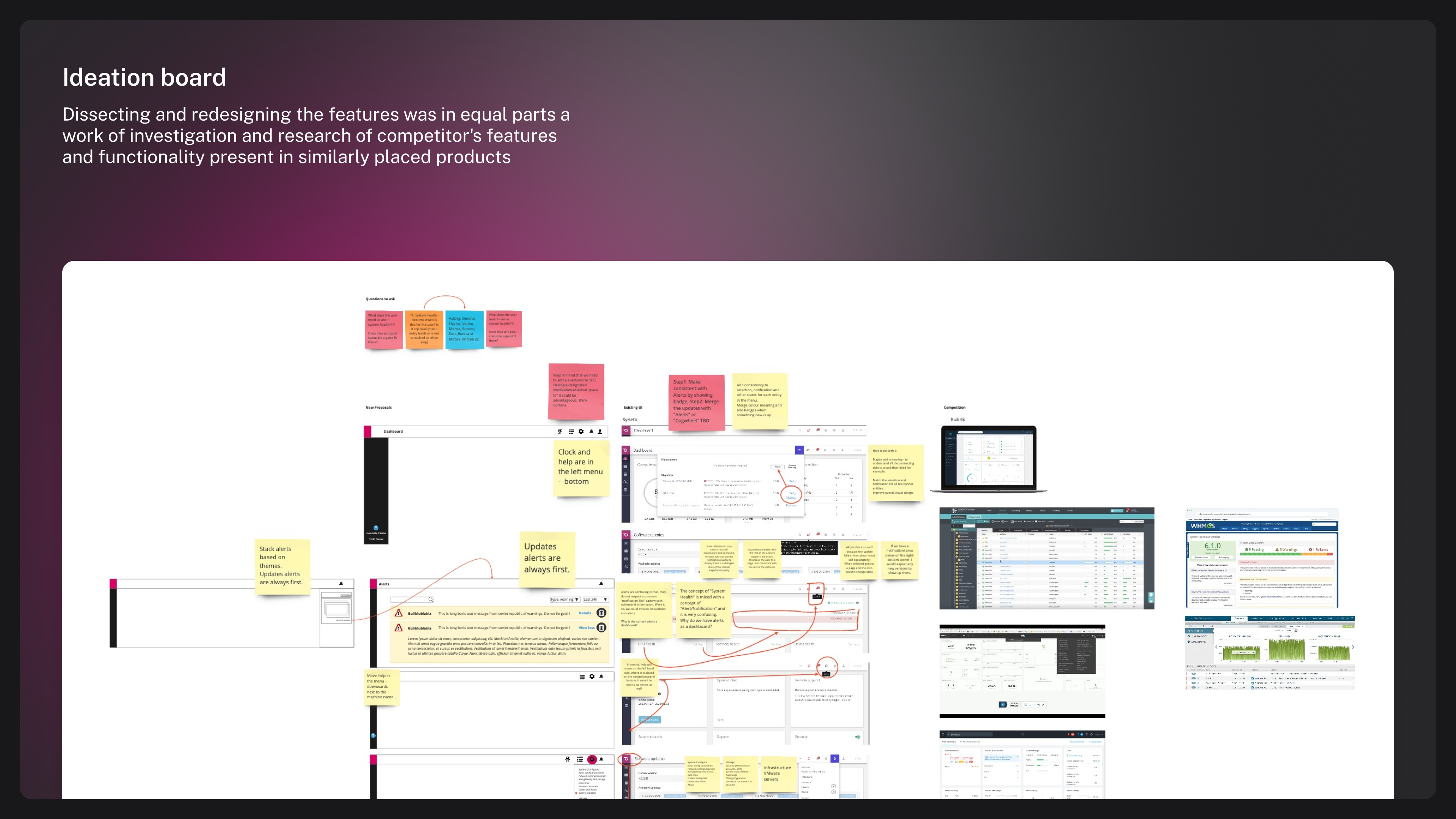
Dissecting and redesigning the features was in equal parts a work of investigation and research of competitor's features and functionality present in similarly placed products
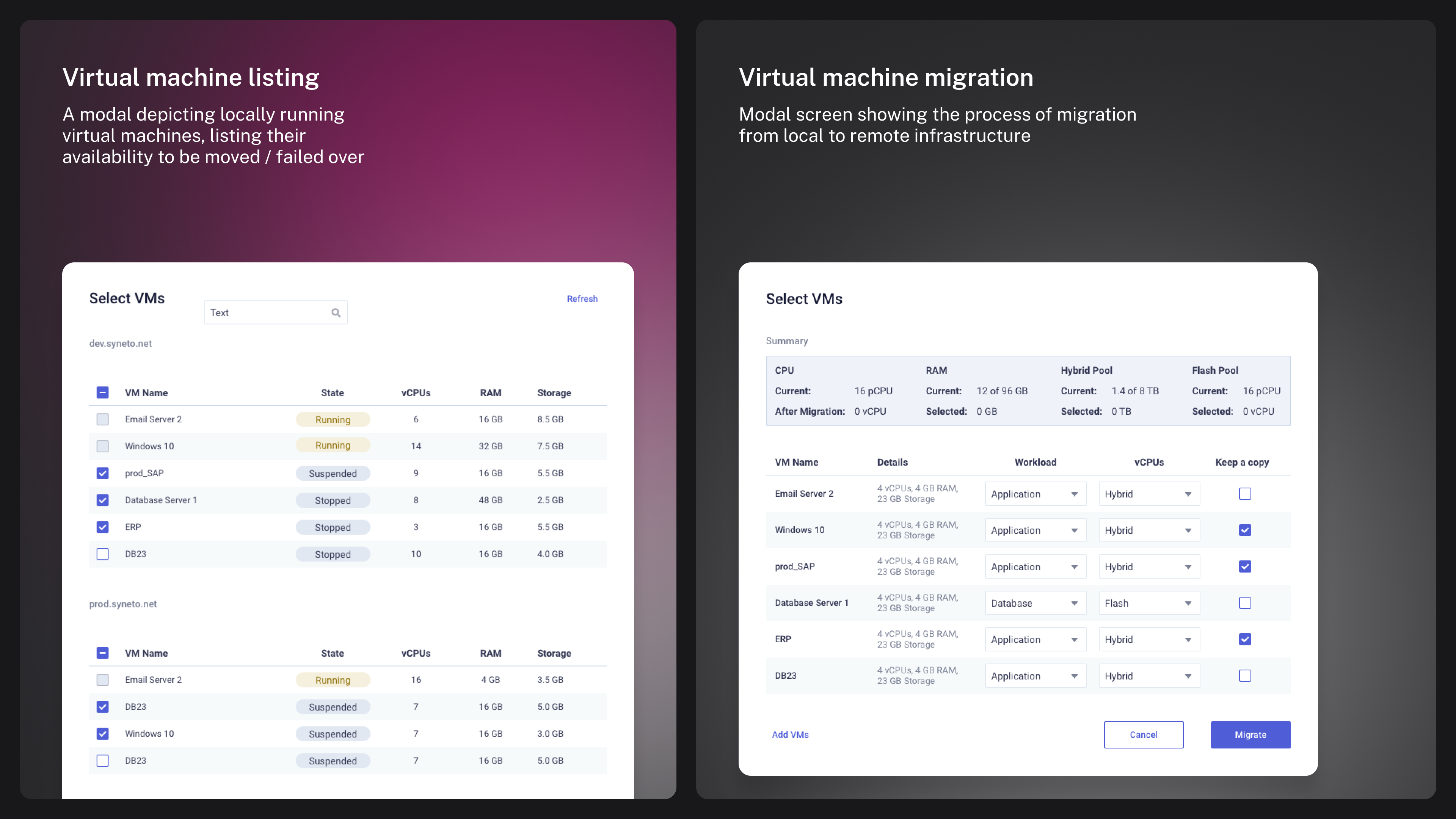
A modal depicting locally running virtual machines, listing their availability to be moved
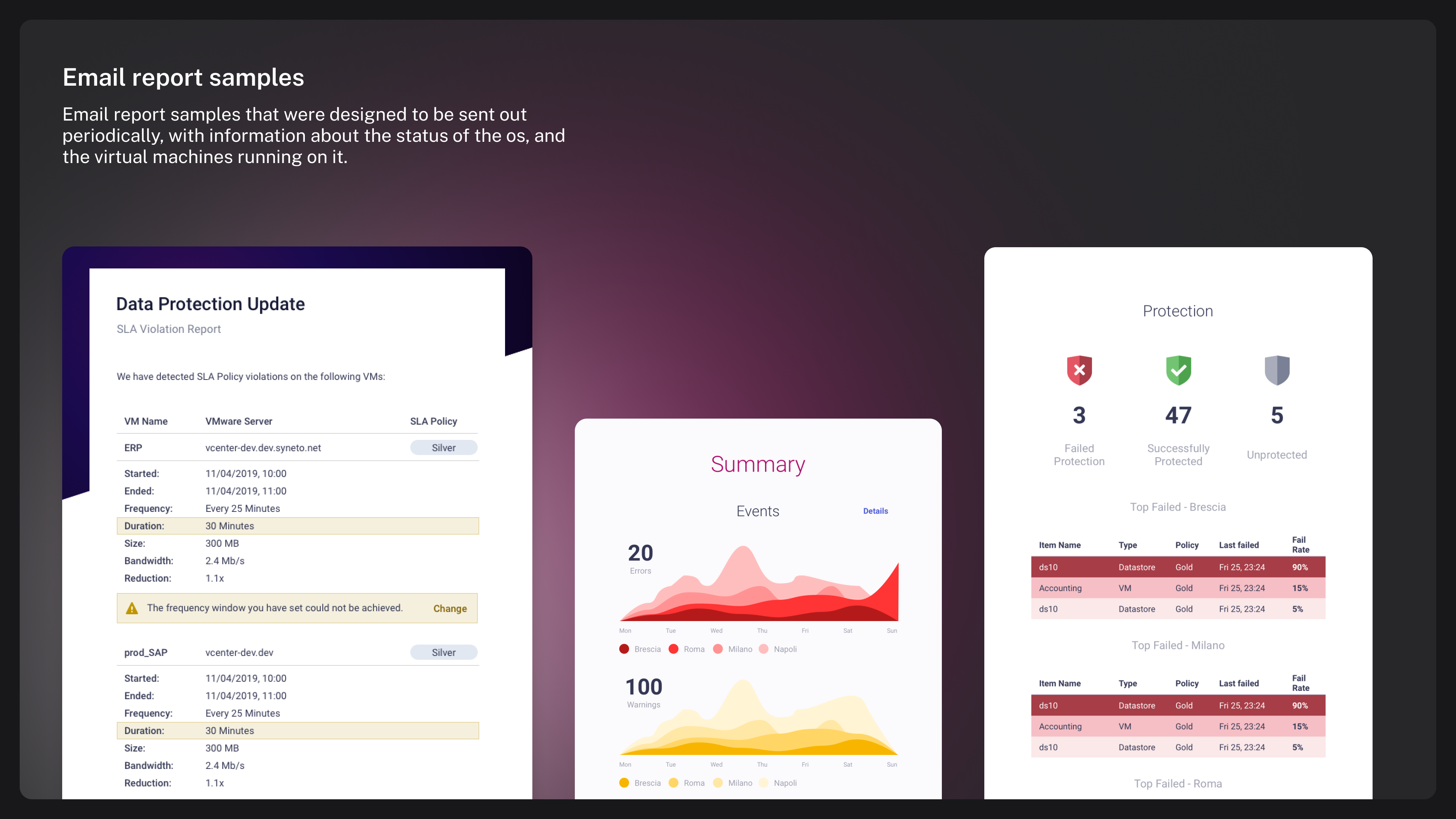
Email report samples that were designed to be sent out periodically, with information about the status of the os, and the virtual machines running on it.
Platform Information Architecture
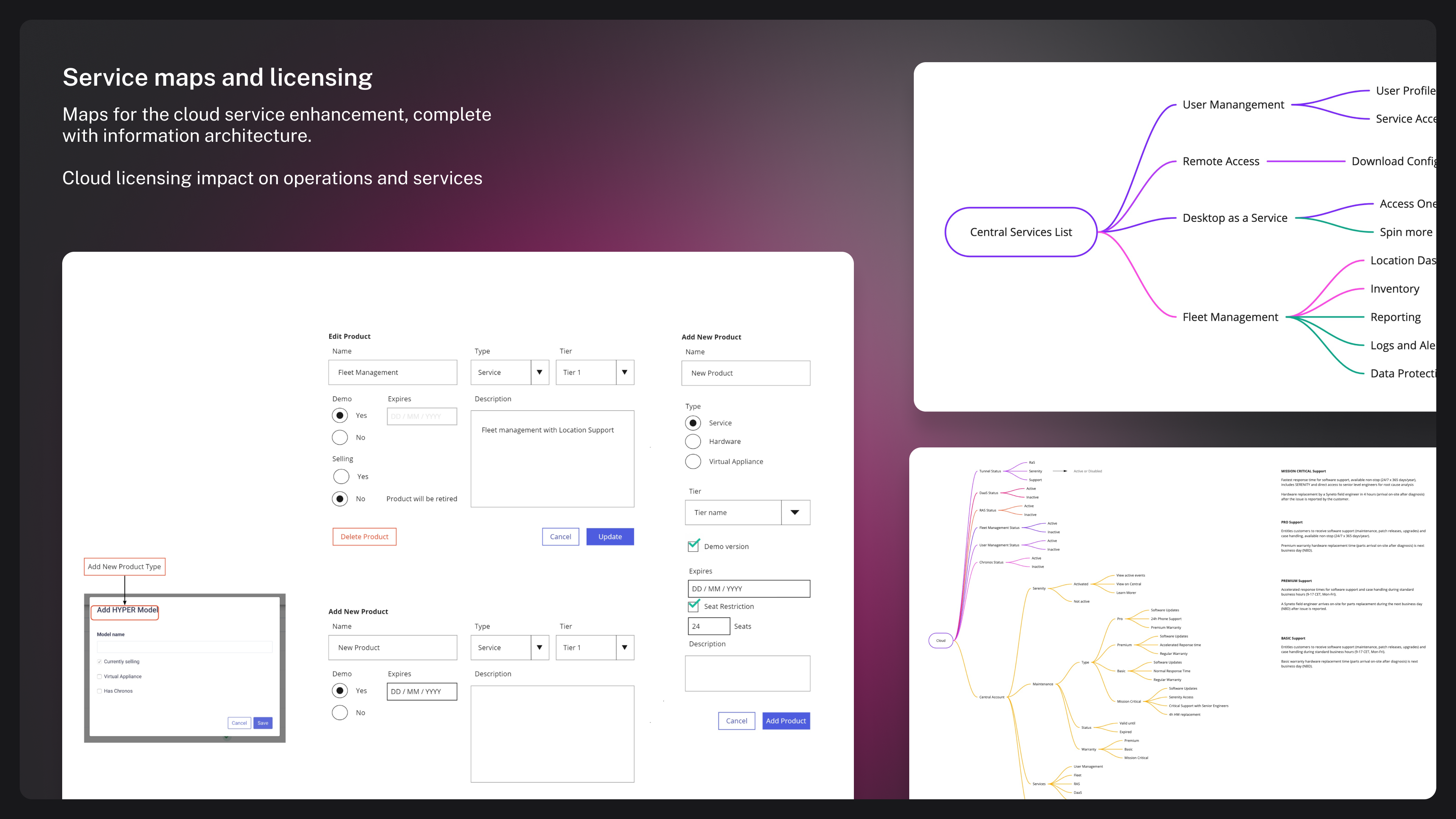
Maps for the cloud service enhancement, complete with information architecture. Cloud licensing impact on operations and services
Various screens
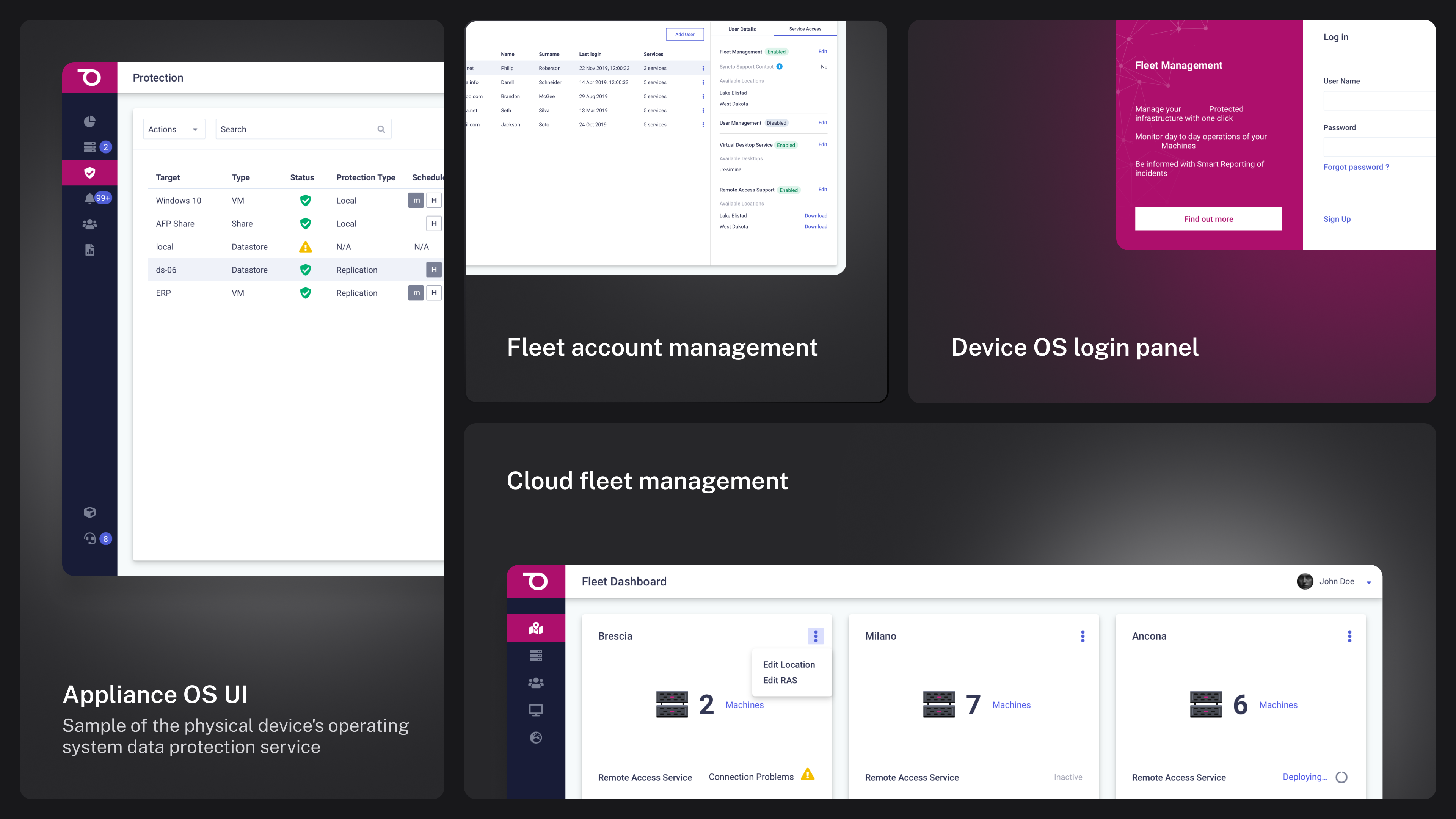
Sample of the physical device's operating system data protection service
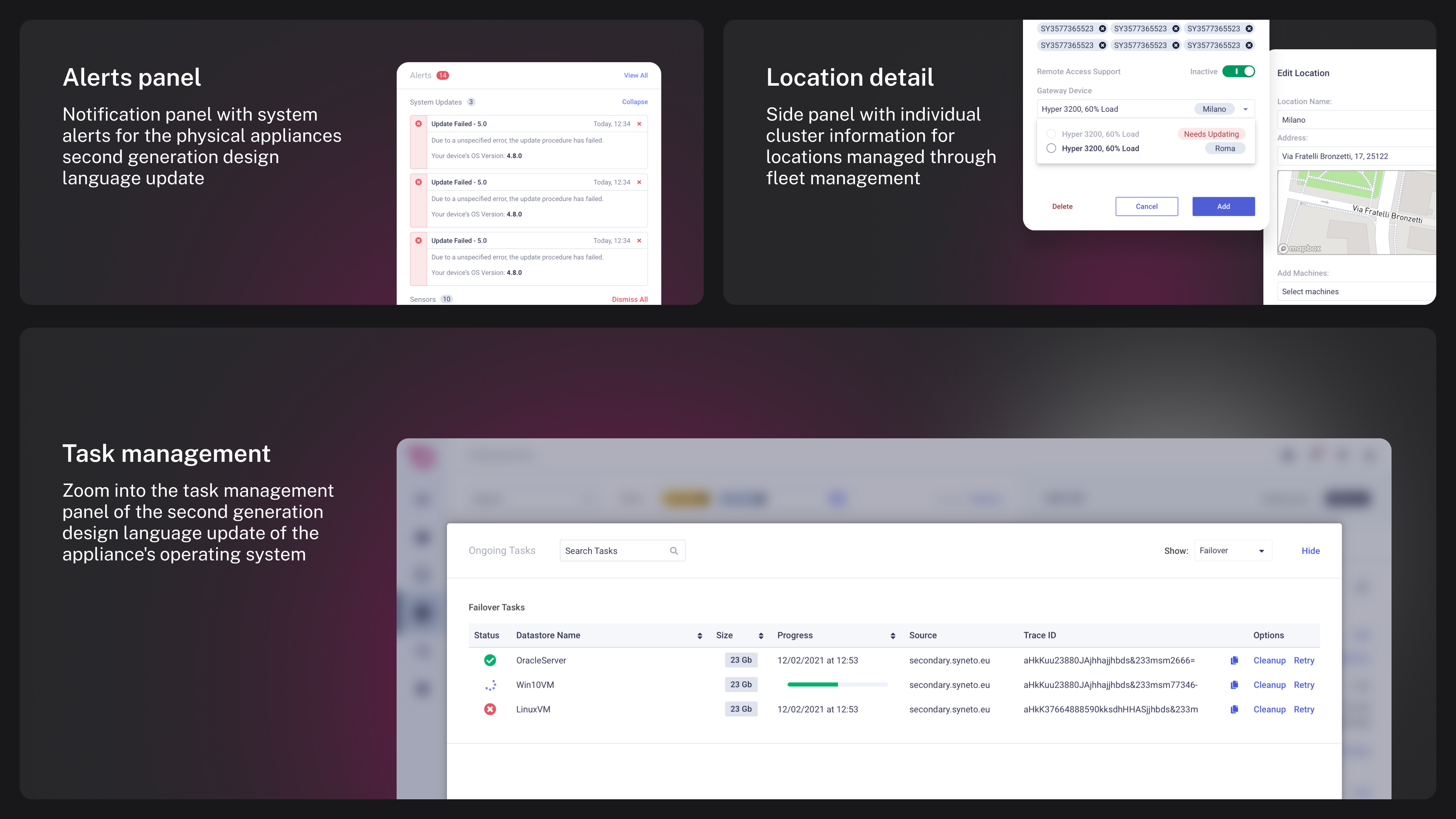
Example of the details of a running Virtual Machine deployed locally on the second generation of the physical devices operating system
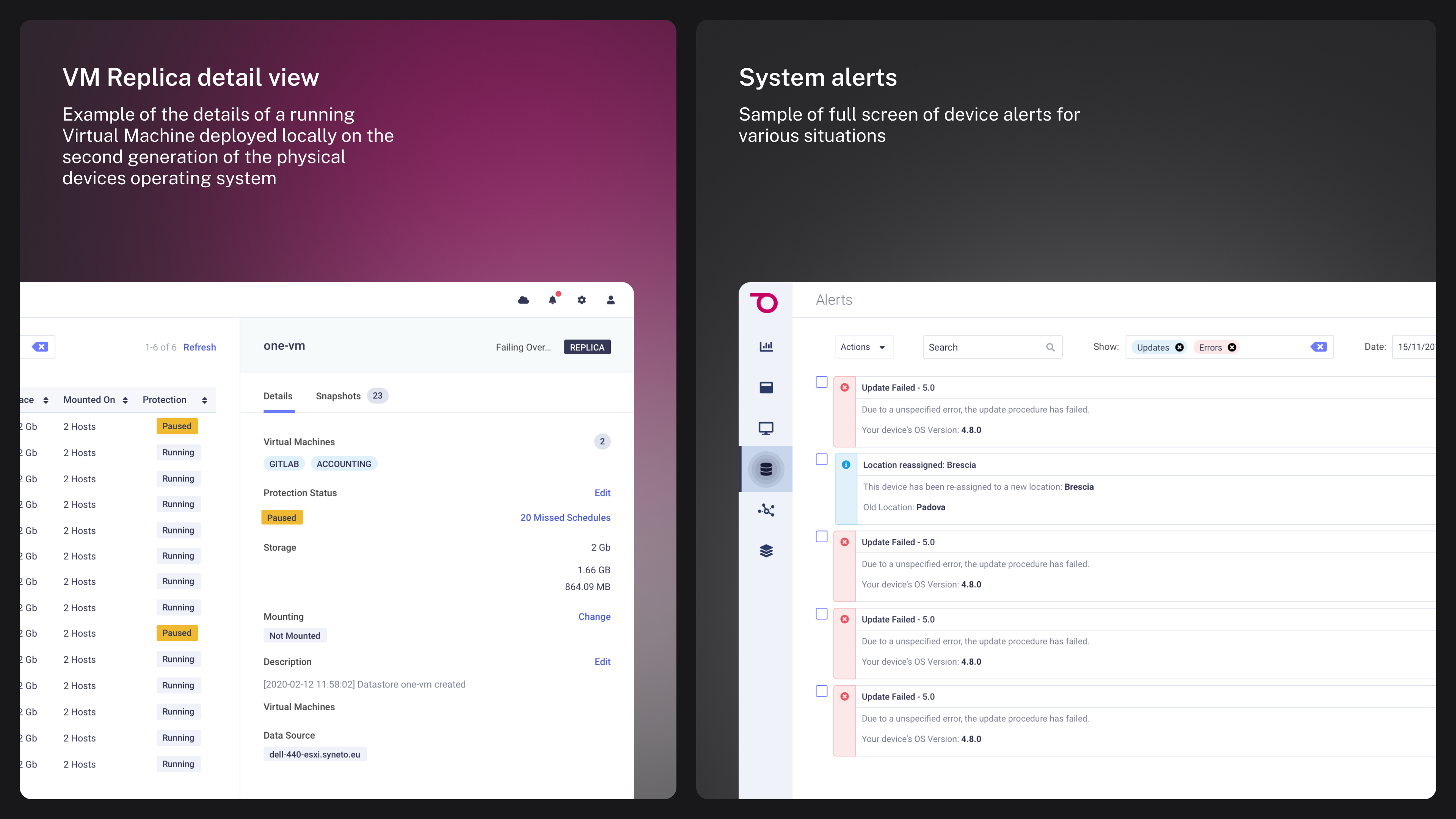
Advanced task management examples and views
Key User Workflows
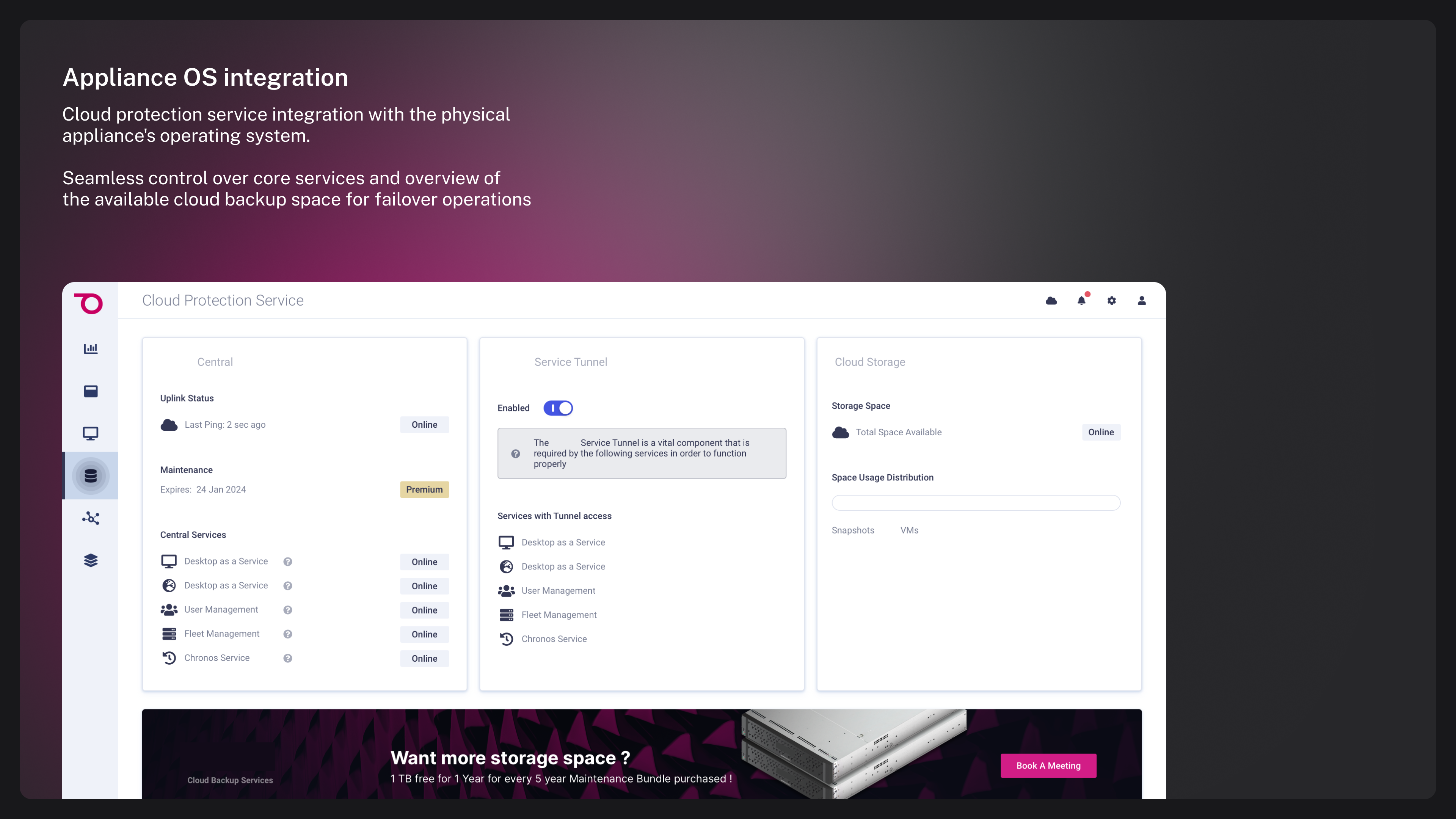
Optimized workflows for backup configuration, disaster recovery setup, and system monitoring
Impact
[TODO: Label each outcome as measured, observed, reported, launched after your involvement, or not measured.]
50%
Faster task completion
Streamlined workflows reduced time spent on common administrative tasks
Clearer
System visibility
Enhanced dashboard provided clearer insights into infrastructure health and performance
Project retrospective
[TODO: Optional. Describe what the project revealed, what remained unresolved, and what happened after your involvement. Do not turn organisational constraints or rejected recommendations into a personal failure narrative.]